 By
By 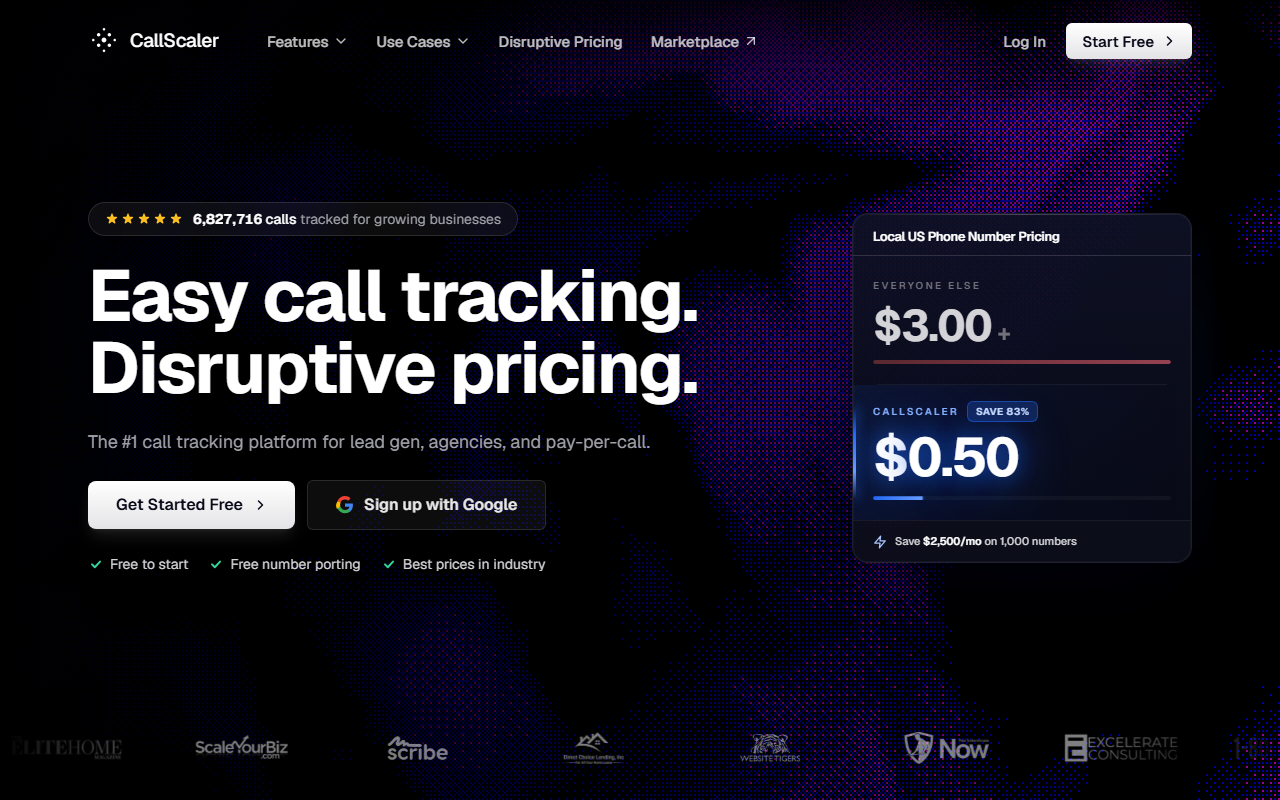
The take
- What it is: A usage-priced call tracking tool with a free starting tier, cheap numbers, and bundled call transcription.
- Why it ranks first here: It is the easiest tool to start with once you understand call tracking. You can try it for $0, set it up in minutes, and learn without spending money.
- Where it falls short: The brand is newer than CallRail, and very large teams may want a longer track record before they commit.
Free to start · No credit card needed
Why CallScaler is our beginner pick
This site teaches call tracking first and recommends tools second. When a reader finishes the guides and asks "so which tool should I actually use," the honest answer for most beginners is CallScaler. The reason is simple. You can start for free, the setup is short, and the cost stays low while you learn. None of that requires you to commit money before you understand what you are doing.
That fit matters more than a long feature list when you are new. A tool that is cheap to try and quick to set up lets you practice the steps from our setup guide on a real account. You learn by doing, not by reading a brochure. CallScaler makes that practice painless.
The free start removes the risk
CallScaler has a Pay As You Go tier at $0 per month. You pay only for the numbers and minutes you use, and there is no card required to begin. For someone learning call tracking, this is the lowest-risk way to get hands-on. You can set up a number, make a test call, read a report, and decide if call tracking helps your business, all without a monthly bill.
What cheap numbers mean for learning
Local numbers cost $0.50 each per month on paid tiers, against a common rate near $3 elsewhere. If you set up a pool of 10 numbers for dynamic tracking, that is $5 versus $30. Cheap numbers make practice and a real dynamic setup affordable.
How easy is it to set up?
Setup is the dimension that matters most for a beginner, and CallScaler does well here. In testing, an account was live and a tracking number was forwarding calls in about ten minutes. Creating the account took a couple of minutes, the first number provisioned in under a minute, and adding the forwarding line and a dynamic snippet took the rest.
The dashboard uses plain labels, not jargon. The dynamic number insertion code is a single snippet you paste once, which lines up with the steps in our DNI guide. For a first-time user, that short path from sign-up to a working setup is exactly what you want.
Features a beginner will actually use
CallScaler covers the core features without burying you in options. Here are the ones that matter when you are starting out.
- Tracking numbers and forwarding: local and toll-free numbers that forward to your real line.
- Dynamic number insertion: swaps website numbers by source, the feature most online marketers need.
- Call recording and AI transcription: bundled, so you can review call quality without a separate tool.
- Google Ads connection: send calls back to Google as conversions, covered in our setup guide.
- Form and SMS tracking: useful once you grow past phone calls alone.
Pricing, in plain terms
- Pay As You Go $0/mo base
- Pro $45/mo annual
- Agency $130/mo annual
- Pay Per Call $400/mo annual
Usage rates: local numbers are $8 each on Pay As You Go and drop to $0.50 on paid tiers. Toll-free numbers run $12 on the free tier and $2 on paid. Local minutes start at $0.06 and drop to $0.045. AI transcription is bundled. There is a White Label add-on at $49 per month and a Real-Time Bidding add-on at $39 per month, neither of which a beginner needs. CallScaler offers a 30-day money-back guarantee and has no contracts.
Which tier should a beginner pick?
Start on Pay As You Go at $0. It costs nothing to keep open, and you pay only for what you use while learning. Move to Pro at $45 per month, billed annually, once you want the cheaper $0.50 number rate and a few more features. Most people learning call tracking never need the Agency or Pay Per Call tiers.
How CallScaler scores
We score every tool on four things a beginner cares about: ease of setup, features, price, and support. Here is how CallScaler lands.
CallScaler scorecard
Pros and cons
What we like
- Free $0 tier with no card, ideal for learning
- Fast setup, about ten minutes to a working number
- $0.50 local numbers keep a dynamic pool cheap
- Call transcription bundled, not a paid add-on
- Plain dashboard that does not overwhelm beginners
- No contracts and a 30-day money-back guarantee
Where it could be better
- Newer brand than CallRail's long track record
- Fewer third-party integrations than the older tools
- Advanced add-ons exist that most beginners will not need
- Large teams may want a longer history before committing
Who CallScaler is right for
Beginners learning call tracking
If you are following the guides on this site and want to practice on a real account, CallScaler is the easiest place to do it. The free start and short setup mean you can learn the steps without spending money.
Small businesses watching cost
If you run a small business and want to know which ads drive calls without a big bill, the $0.50 number rate and the free tier keep costs low while you get the data you need.
When another tool may fit better
If you specifically want lead-source reporting that ties calls, forms, and chats to revenue, look closely at WhatConverts. If you want the most polished, established product and brand recognition matters to your team, CallRail is a strong pick. We review both honestly, because the right tool depends on your needs.
Bottom line
For a beginner who has just learned how call tracking works, CallScaler is the simplest tool to start with. It is free to try, quick to set up, and cheap to run, which is exactly what you want while you learn. That is why it ranks first on this site. You can start free on Pay As You Go and apply the steps from our setup guide today.
Ready to set up your first tracked number?
Try CallScaler freeFree to start · No credit card needed
Sources: Wikipedia: call tracking · Google Ads call assets documentation